The National Center for Technology Innovation (NCTI), funded by the U.S. Office of Special Education Programs (OSEP), advances learning opportunities for individuals with disabilities by fostering technology innovation. We seek to broaden and enrich the field by providing resources and promoting partnerships for the development of tools and applications by developers, manufacturers, producers, publishers and researchers. Learn more about NCTI.
Housed at the American Institutes for Research, NCTI staff is committed to identifying the most up-to-date information and resources on technology innovation and facilitating opportunities for partners to collaborate and work with colleagues across the country. Each staff member brings a unique background and set of skills to the Center.
Mr. David Baquis, Accessibility Specialist in technology with U.S. Access Board, Section 508 Coordinator, is a member of Section 508 Working Group. He brings his ideas and expertise from the perspective of Federal Agencies and Programs and as a person with a disability who uses technology.
Dr. Cathy Bodine, Assistant Professor, Section Head and Director of Assistive Technology Partners, Department of Physical Medicine and Rehabilitation, University of Colorado Health Sciences Center, brings ideas from the perspective of a technical assistance (TA) provider and technology researcher. Her interests are centered on research and development of numerous AT devices, best practices in AT service delivery, and pre-service preparation in technology applications.
Ms. Diana Foster Carl, formerly Director of Special Education Services at Region 4 Education Service Center in Houston, Texas, served as lead facilitator of the Texas Assistive Technology Network, a collaborative project between the 20 educational service centers in Texas and the Texas Education Agency. Her expertise stems from her work as a technical assistance (TA) provider and her everyday experiences as the parents of a child with a disability.
Dr. Milton Chen, Executive Director of The George Lucas Educational Foundation was the founding director of the KQED Center for Education and Lifelong Learning (PBS) in San Francisco, delivering educational services for teachers, parents, and community groups in support of public TV programming. He brings the perspective of a foundation focused on best practices in technology innovation and implementation.
Mr. David Dikter, Executive Director of the Assistive Technology Industry Association (ATIA), manages the overall mission of ATIA to bring AT to people with disabilities and adds valuable perspective from commercial vendors. Under his leadership, ATIA has expanded its capacity to serve as the collective voice for the AT field through its annual conference that brings together more than 1,500 industry leaders.
Mr. Matthew Kaplowitz, President of Bridge Multimedia, has been leading the research and development team implementing universally accessible technology and supporting content for television and electronic media, in partnership with The American Foundation for the Blind, for the past four years. He brings a dual perspective, both as a commercial vendor and as the parent of a child with a disability.
Dr. Gaylen Kapperman, Professor and Coordinator of the Programs in Vision at Northern Illinois University’s College of Education, uses an array of AT for carrying out his work as a technology researcher, as he himself is visually impaired. His professional work has focused on preparing personnel to work with persons who are visually disabled to enable them to meet the challenges which they must overcome to lead productive, independent lives.
Dr. Michael Russell, Associate Professor in the Lynch School of Education and Director of the Technology and Assessment Study Collaborative at Boston College, is an experienced technology researcher. His focus is on the intersection of technology, learning, and assessment and including applications of technology to testing and impacts of technology on students and their learning.
Mr. Rob Sinclair, Director of the Accessible Technology Group (ATG) at Microsoft, is responsible for the company’s worldwide accessibility strategy to develop software and devices that make it easier for people to see, hear, and use their computers. He oversees the ATG group and coordinates with the Microsoft AT Vendor Program.
Dr. Deborah D. Smith, Professor of Special Education and Co- Director of the IRIS (IDEA and Research for Inclusive Settings) Center for Faculty Enhancement at Claremont Graduate College, works to improve the training of the next generation of technology-savvy teachers. She has extensive experience guiding teacher preparation programs to include best practices and improve teacher training.
Dr. Yong Zhao, University Distinguished Professor in the Department of Counseling, Educational Psychology, and Special Education at the College of Education, Michigan State University Professor also serves as the Founding Director of the Center for Technology and Teaching as well as the Director of the US-China Center for Resarch on Educational Excellence. His research interests include diffusion of innovations, teacher adoption of technology, computer-assisted language learning, globalization and education, and international and comparative education.
NCTI seeks to broaden and enrich the field through the following objectives:
NCTI advances learning opportunities for individuals with disabilities through the following services:
To all the tech lovers out there, as you've liked the information presented on our website, please help spread the words with the link below.
 |
 |
 |
 |
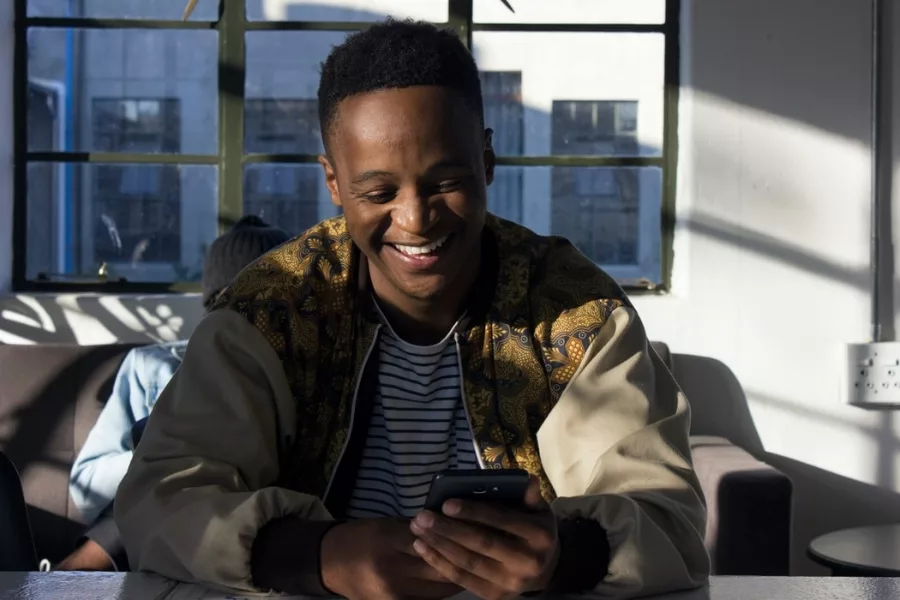
How to Follow Sports OnlineIMAGE HERE >>> https://images.unsplash.com/photo-1528123778681-01e39b42808e?ixlib=rb-1.2.1&ixid=MnwxMjA3fDB8MHxwaG90by1wYWdlfHx8fGVufDB8fHx8&auto=format&fit=crop&w=1050&q=80 >>> Photo...

Between the Apple App Store and the Google Play store, there are millions of apps available for smartphone users around the world. The most popular of these apps are social; WhatsApp, Instagram, and Facebook ar...

Everyone is curious about CBD usage because of its enormous therapeutic and recreational benefits.But, do you know how much you should take to feel those benefits? The right dosage of CBD is the most puzzling t...

ContentsHero WarsMinecraft ClassicForge of EmpiresElvenarPirates of the Caribbean: Tides of WarGame of Thrones: Winter is ComingAnocrisRail NationSurvivor Legacy Hero WarsIf you're looking for a simple clicker...

Today, one of the major activities that act as the driving force of the world economy is business transactions.[toc]The various technological innovations that have greeted the world has also made many business...

Quality time is one of the love languages of almost everyone in a relationship. It is always lovely to spend quality time alone with your lover - but do you have an idea how? Or have you exhausted the options a...
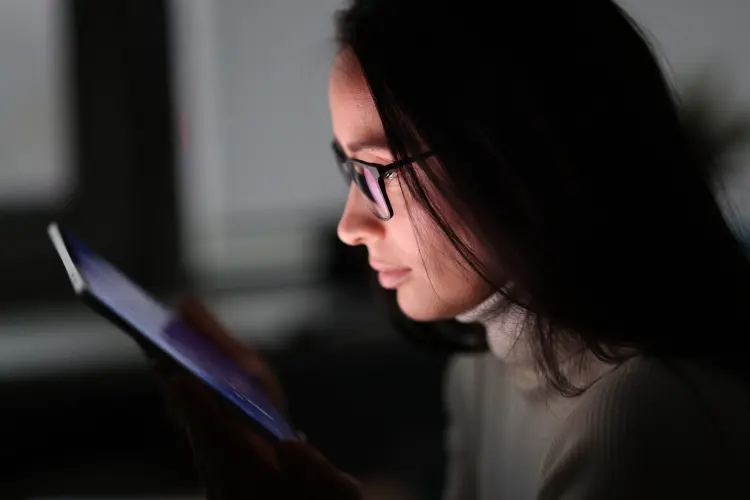
Nowadays, technological advancements have made different life activities faster and easier. Before the introduction of technology, it was extremely difficult for people to monitor their kids, spouse, and employ...

Are you looking for free VPN services for your laptop? Then you should read this article. Here you will find the best free VPN solutions at the moment.

Credit cards are undoubtedly the most effective means of payment in this current age. The existence of credit cards has gradually improved and transform the structure of carrying out transactions such as buyin...

Getting paid to do absolutely nothing might sound like a dream but really it's not.[toc]The world has sincerely become a better place when it comes to money making opportunities. This is due to the emergence of...
Great Science Topics
Come here for FREE Gifts. We want to share some nice tips and great tricks. First, disable your adblocker for them
Once done, hit anything below
|
|
|
|
 NationalTechCenter